> ## Documentation Index
> Fetch the complete documentation index at: https://platform.minimaxi.com/docs/llms.txt
> Use this file to discover all available pages before exploring further.
# Mini-Agent:构建您的第一个智能助手
> 本教程将带您了解 Mini-Agent 的核心架构,并指导您如何接入 MiniMax M2.1 模型构建自己的智能 Agent。
Download from GitHub
# Mini-Agent 框架简介
**Mini-Agent 是由 MiniMax 开源的一个极简而专业的 AI Agent 开发框架**,旨在展示使用 MiniMax M2.1 模型构建智能代理的最佳实践。与 LangChain 等复杂框架不同,Mini-Agent 采用轻量级设计,让开发者能够直达 Agent 的本质,理解其核心工作原理。
***
## 核心特点
Mini-Agent 的设计理念是**轻量(Lightweight)、简洁(Simple)、易扩展(Extensible)**。它避免了过度封装,将 Agent 的核心逻辑清晰地展现在开发者面前,帮助学习者真正理解 Agent 是如何工作的,而不仅仅是学会如何使用某个框架的 API。
### 重要功能
MiniAgent 实现了完整的 Agent 执行循环:**感知→思考→行动→反馈**。通过 LLM 进行决策,调用工具执行任务,并将执行结果反馈给 LLM,形成闭环的智能决策系统。
内置的 Session Note Tool 确保 Agent 能够在多个会话中保留关键信息,实现跨会话的记忆持久化,让 Agent 具备"记住"的能力。
采用自动摘要机制处理长对话场景,当上下文接近 Token 限制时,系统会自动调用 LLM 对历史对话进行压缩和摘要,从而支持无限长的任务执行。
* **基础工具集**:文件读写、Shell 命令执行等基础能力
* **Claude Skills 集成**:内置 15 种专业技能,涵盖文档处理、设计、测试和开发等领域
* **MCP 工具支持**:原生支持 Model Context Protocol (MCP),可轻松接入知识图谱、网页搜索等外部工具
兼容 Anthropic 和 OpenAI 的 API 接口,支持不同模型厂家的 LLM API 接入。
***
## Mini-Agent 架构
一个完整的系统由三个核心部分组成:
### LLM(大脑)- 负责理解与决策
```python theme={null}
# mini_agent/llm/base.py
class LLMClientBase(ABC):
async def generate(
self,
messages: list[Message],
tools: list[Any] | None = None,
) -> LLMResponse:
"""生成LLM响应,包含内容、思考过程和工具调用"""
pass
```
`LLMClientBase` 是 LLM 的基类,定义了 LLM 的接口。在 Mini-Agent 项目中,基于 `LLMClientBase` 提供了 Anthropic 和 OpenAI 两种 LLM 的接入方式。
### Tools(工具)- 执行具体任务的能力
```python theme={null}
# mini_agent/tools/base.py
class Tool:
@property
def name(self) -> str: ... # 工具名称
@property
def description(self) -> str: ... # 工具描述(给LLM看)
@property
def parameters(self) -> dict: ... # 参数定义(JSON Schema)
async def execute(self, **kwargs) -> ToolResult:
"""执行工具,返回结果"""
pass
```
Tool 是 Agent 的"手脚",Mini-Agent 项目中提供了几个基础工具:
* **BashTool**:执行 Shell 命令
* **FileReadTool / FileWriteTool**:文件读写
* **SessionNoteTool**:会话笔记(持久化记忆)
### Memory(记忆)- 对话历史与上下文管理
```python theme={null}
# mini_agent/schema/schema.py
class Message(BaseModel):
role: str # "system", "user", "assistant", "tool"
content: str | list[dict]
thinking: str | None = None # 扩展思维内容
tool_calls: list[ToolCall] | None = None
```
Memory 管理对话历史,Mini-Agent 采用智能摘要机制来处理长对话场景:
```python theme={null}
# 调用LLM生成摘要
summary_prompt = f"""请简洁总结以下Agent执行过程:
{summary_content}
要求:聚焦完成了什么任务、调用了哪些工具,保留关键结果"""
response = await self.llm.generate(messages=[
Message(role="system", content="你是擅长总结Agent执行过程的助手"),
Message(role="user", content=summary_prompt)
])
```
***
## Mini-Agent 循环机制
核心循环:**感知→思考→行动→反馈**
Mini-Agent 的核心执行逻辑在 `agent.py` 的 `run()` 方法中:
```python theme={null}
async def run(self) -> str:
step = 0
while step < self.max_steps:
# 1. 检查并摘要消息历史(防止上下文溢出)
await self._summarize_messages()
# 2. 调用LLM获取响应(思考)
response = await self.llm.generate(
messages=self.messages,
tools=tool_list
)
# 3. 如果没有工具调用,任务完成
if not response.tool_calls:
return response.content
# 4. 执行工具调用(行动)
for tool_call in response.tool_calls:
tool = self.tools[tool_call.function.name]
result = await tool.execute(**arguments)
# 将结果加入消息历史(反馈)
self.messages.append(tool_msg)
step += 1
```
**循环决策过程:**
LLM 接收消息历史和可用工具列表
LLM 判断是否需要调用工具,输出结构化的 `tool_calls`
Agent 解析 `tool_calls`,执行对应工具
工具执行结果作为 `tool` 角色的消息加入历史
循环继续,直到 LLM 认为任务完成(不再调用工具)
***
## 接入 MiniMax-M2.1
### Step 1: 下载项目
```bash theme={null}
# 1. 克隆仓库
git clone https://github.com/MiniMax-AI/Mini-Agent.git
cd Mini-Agent
# 2. 安装 uv(如果尚未安装)
# macOS/Linux:
curl -LsSf https://astral.sh/uv/install.sh | sh
# Windows (PowerShell):
irm https://astral.sh/uv/install.ps1 | iex
# 安装后需要重启终端
# 3. 同步依赖
uv sync
```
### Step 2: 配置文件
复制 `config-example.yaml` 文件并重命名为 `config.yaml`
### Step 3: 关键配置
**必须配置项:**
* `api_key`: 填写您的 MiniMax API Key
```yaml theme={null}
# ===== 关键设置 =====
api_key: "YOUR_API_KEY_HERE" # 【必须】填写MiniMax API Key
api_base: "https://api.minimaxi.com" # 国内用户使用此地址
# api_base: "https://api.minimax.io" # 国际用户使用此地址
model: "MiniMax-M2.1"
provider: "anthropic" # LLM 提供商:"anthropic" 或 "openai"
```
### Step 4: 其他配置(可选)
```yaml theme={null}
# ===== 重试配置 =====
retry:
enabled: true # 启用重试机制
max_retries: 3 # 最大重试次数
initial_delay: 1.0 # 初始延迟时间(秒)
max_delay: 60.0 # 最大延迟时间(秒)
exponential_base: 2.0 # 指数退避基数
# ===== Agent 配置 =====
max_steps: 100 # 最大执行步骤数
workspace_dir: "./workspace" # 工作目录
system_prompt_path: "system_prompt.md" # 系统提示词文件
# ===== 工具配置 =====
tools:
# 基础工具开关
enable_file_tools: true # 文件读写编辑工具
enable_bash: true # Bash 命令执行工具
enable_note: true # 会话记录工具
# Claude 技能
enable_skills: true # 启用技能
skills_dir: "./skills" # 技能目录路径
# MCP 工具
enable_mcp: true # 启用 MCP 工具
mcp_config_path: "mcp.json" # MCP 配置文件
```
### Step 5: 开始使用
```bash theme={null}
# 作为模块直接运行(适合调试)
uv run python -m mini_agent.cli
```
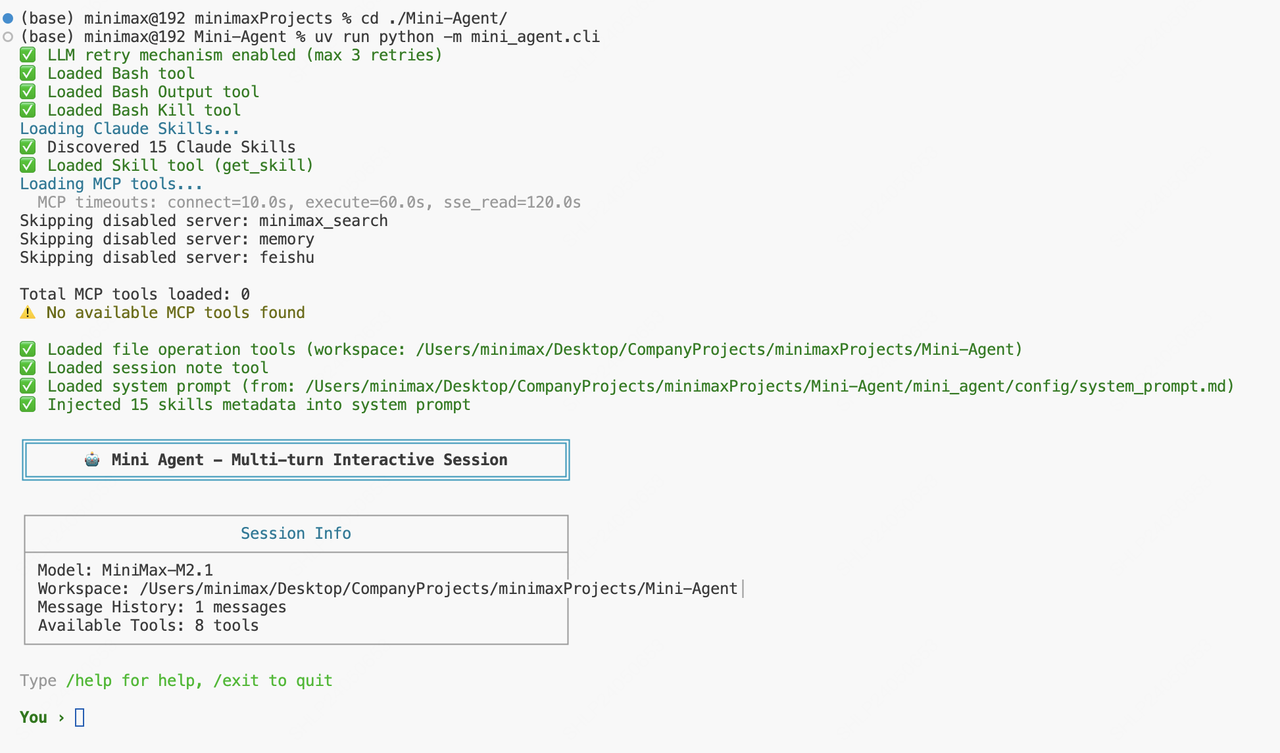
**运行后,您将看到 Mini-Agent 的交互界面:**
详细介绍
框架源码与文档
获取 API Key
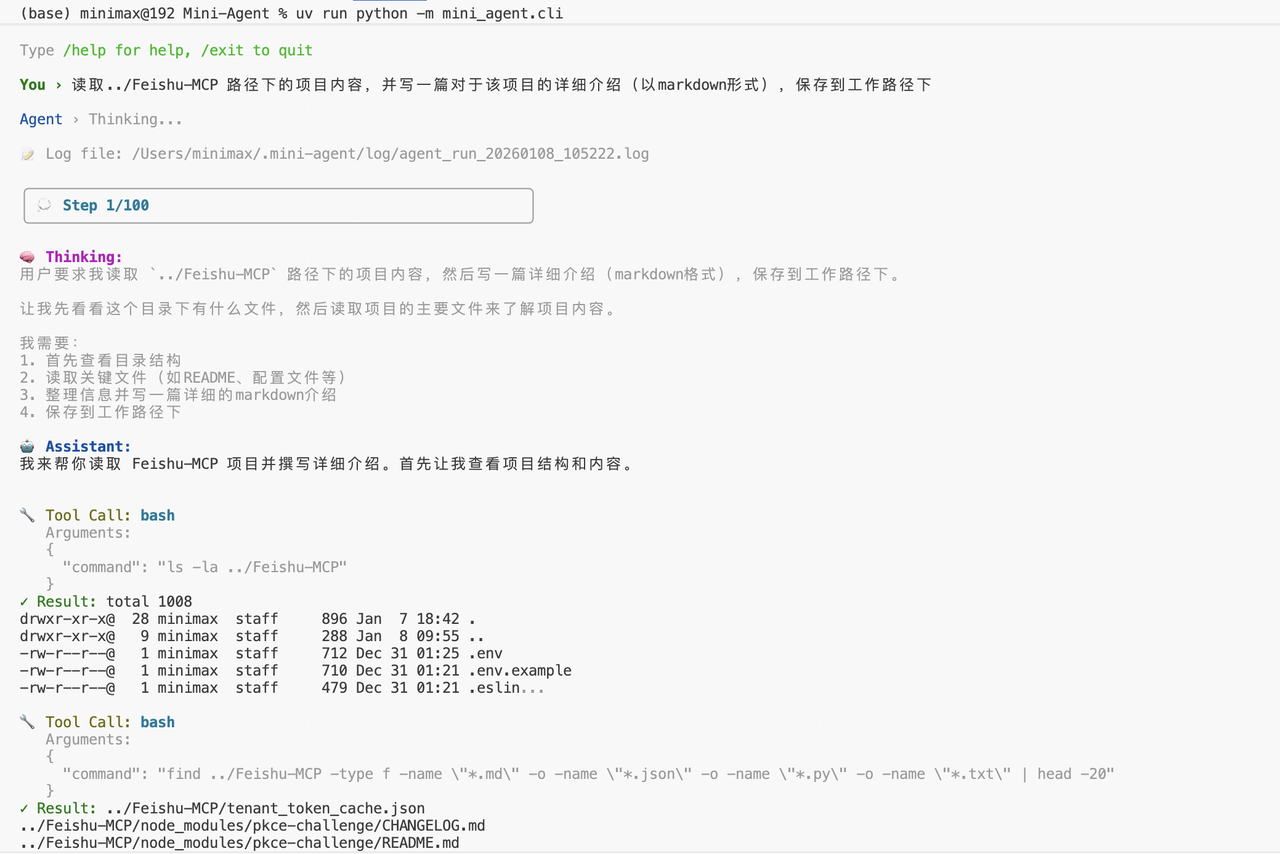
 **我们让它完成一项读取并解释 MCP 的任务:**
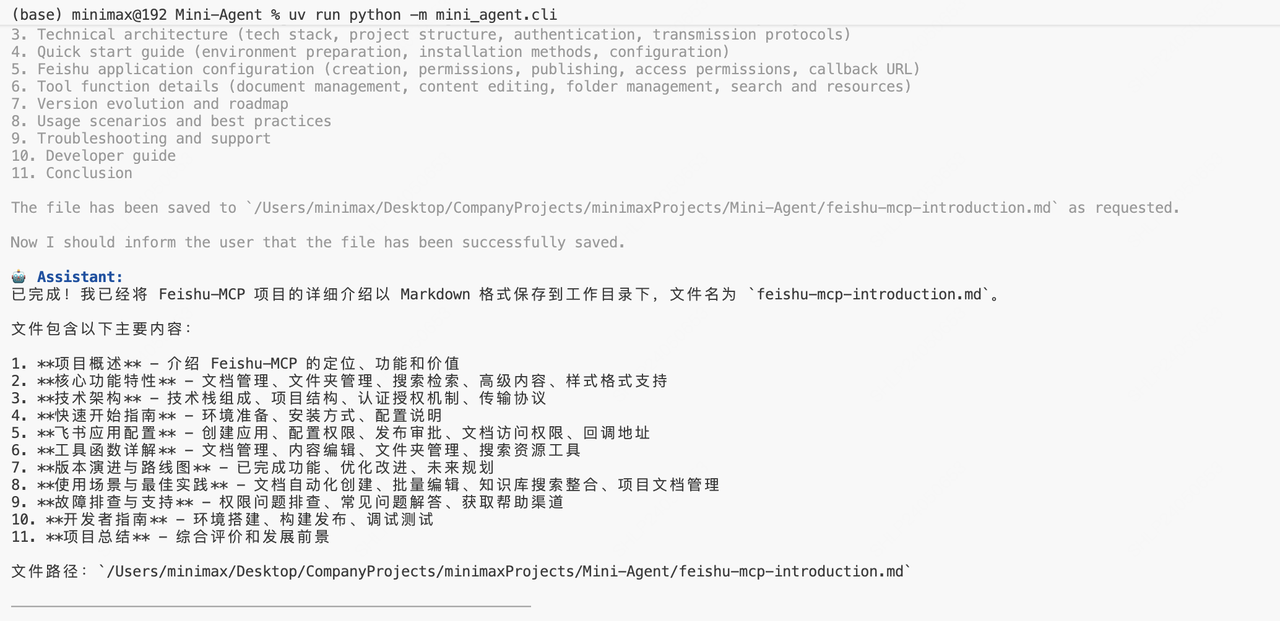
 **Mini-Agent 成功完成任务:**
 ***
## 总结
* **Agent 的本质是循环决策**,包括感知(Perception)、思考(Thinking)、执行(Execution)、反馈(Feedback)四种类型的行为
* **Memory 即 Agent 的记忆能力**,本质是上下文(Context)的管理,包括对上下文的压缩、存储、检索等
* **Tool 是 Agent 与外部系统交互、扩展能力的基础接口**;而业界后续提出的 MCP、Claude Skills 等能力,可以看作是对 Tool 的进一步抽象
***
## 相关资源
***
## 总结
* **Agent 的本质是循环决策**,包括感知(Perception)、思考(Thinking)、执行(Execution)、反馈(Feedback)四种类型的行为
* **Memory 即 Agent 的记忆能力**,本质是上下文(Context)的管理,包括对上下文的压缩、存储、检索等
* **Tool 是 Agent 与外部系统交互、扩展能力的基础接口**;而业界后续提出的 MCP、Claude Skills 等能力,可以看作是对 Tool 的进一步抽象
***
## 相关资源