> ## Documentation Index
> Fetch the complete documentation index at: https://platform.minimaxi.com/docs/llms.txt
> Use this file to discover all available pages before exploring further.

# 使用多智能体完成复杂任务

> <Note> 本教程将指导您如何在 Eigent 的 Multi-Agent 框架中接入 MiniMax 文本模型，完成复杂的多步骤任务。 </Note>

<div style={{display: 'flex', alignItems: 'center', gap: '12px', marginBottom: '16px'}}>
  <div style={{width: '40px', height: '40px', borderRadius: '50%', background: 'linear-gradient(135deg, #6366f1, #8b5cf6)', display: 'flex', alignItems: 'center', justifyContent: 'center', color: 'white', fontWeight: 'bold'}}>B</div>

  <div>
    <div style={{fontWeight: 500}}>Blue</div>
    <div style={{fontSize: '0.875rem', color: '#9ca3af'}}>2026年1月17日</div>
  </div>
</div>

<a href="https://github.com/eigent-ai/eigent" target="_blank" style={{display: 'inline-flex', alignItems: 'center', gap: '8px', padding: '8px 16px', borderRadius: '8px', border: '1px solid #e5e7eb', textDecoration: 'none', color: 'inherit', marginBottom: '32px'}}>
  <svg height="20" width="20" viewBox="0 0 16 16" fill="currentColor">
    <path d="M8 0C3.58 0 0 3.58 0 8c0 3.54 2.29 6.53 5.47 7.59.4.07.55-.17.55-.38 0-.19-.01-.82-.01-1.49-2.01.37-2.53-.49-2.69-.94-.09-.23-.48-.94-.82-1.13-.28-.15-.68-.52-.01-.53.63-.01 1.08.58 1.23.82.72 1.21 1.87.87 2.33.66.07-.52.28-.87.51-1.07-1.78-.2-3.64-.89-3.64-3.95 0-.87.31-1.59.82-2.15-.08-.2-.36-1.02.08-2.12 0 0 .67-.21 2.2.82.64-.18 1.32-.27 2-.27.68 0 1.36.09 2 .27 1.53-1.04 2.2-.82 2.2-.82.44 1.1.16 1.92.08 2.12.51.56.82 1.27.82 2.15 0 3.07-1.87 3.75-3.65 3.95.29.25.54.73.54 1.48 0 1.07-.01 1.93-.01 2.2 0 .21.15.46.55.38A8.013 8.013 0 0016 8c0-4.42-3.58-8-8-8z" />
  </svg>

  Download from GitHub
</a>

# Eigent 简介

**Eigent** 是基于 CAMEL-AI 的多智能体桌面应用，在 GitHub 上获得 **3.7k+ Stars**。

### 核心特点

* **多智能体协作**：Developer、Search、Document 等专用 Agent 并行工作
* **自定义 Agent**：支持根据需求创建专属 Agent
* **清晰的任务监控**：界面简洁美观，能够清晰监控多 Agent 协作完成任务的过程

***

## 快速上手

### Step 1:  获取 MiniMax API Key

<Note>
  **获取方式：**

  * 拥有 Token Plan 或积分权限的用户可使用 [Token Plan Key](https://platform.minimaxi.com/user-center/payment/token-plan)
  * 未订阅的新用户可以先用 [按量计费](https://platform.minimaxi.com/user-center/basic-information/interface-key) 的免费额度进行尝试
</Note>

### Step 2:  下载安装 Eigent

<Steps>
  <Step title="安装 Node.js">
    确保已安装 Node.js（版本 18 \~ 22）和 npm
  </Step>

  <Step title="克隆仓库">
    ```bash theme={null}
    git clone https://github.com/eigent-ai/eigent.git
    cd eigent
    ```
  </Step>

  <Step title="安装依赖">
    ```bash theme={null}
    npm install
    ```
  </Step>
</Steps>

### Step 3:  启动 Eigent 应用

在终端中运行以下命令启动 Eigent 应用：

```bash theme={null}
npm run dev
```

<Note>
  本文以自托管（社区版）模式运行 Eigent，初次使用时需要在 Eigent 官网注册，然后在本地的 Eigent 应用中输入账号密码进行登录。
  初次运行时 Eigent 需要安装环境依赖，加载时间较长，需耐心等待。
</Note>

### Step 4:  配置 MiniMax M2.1 模型

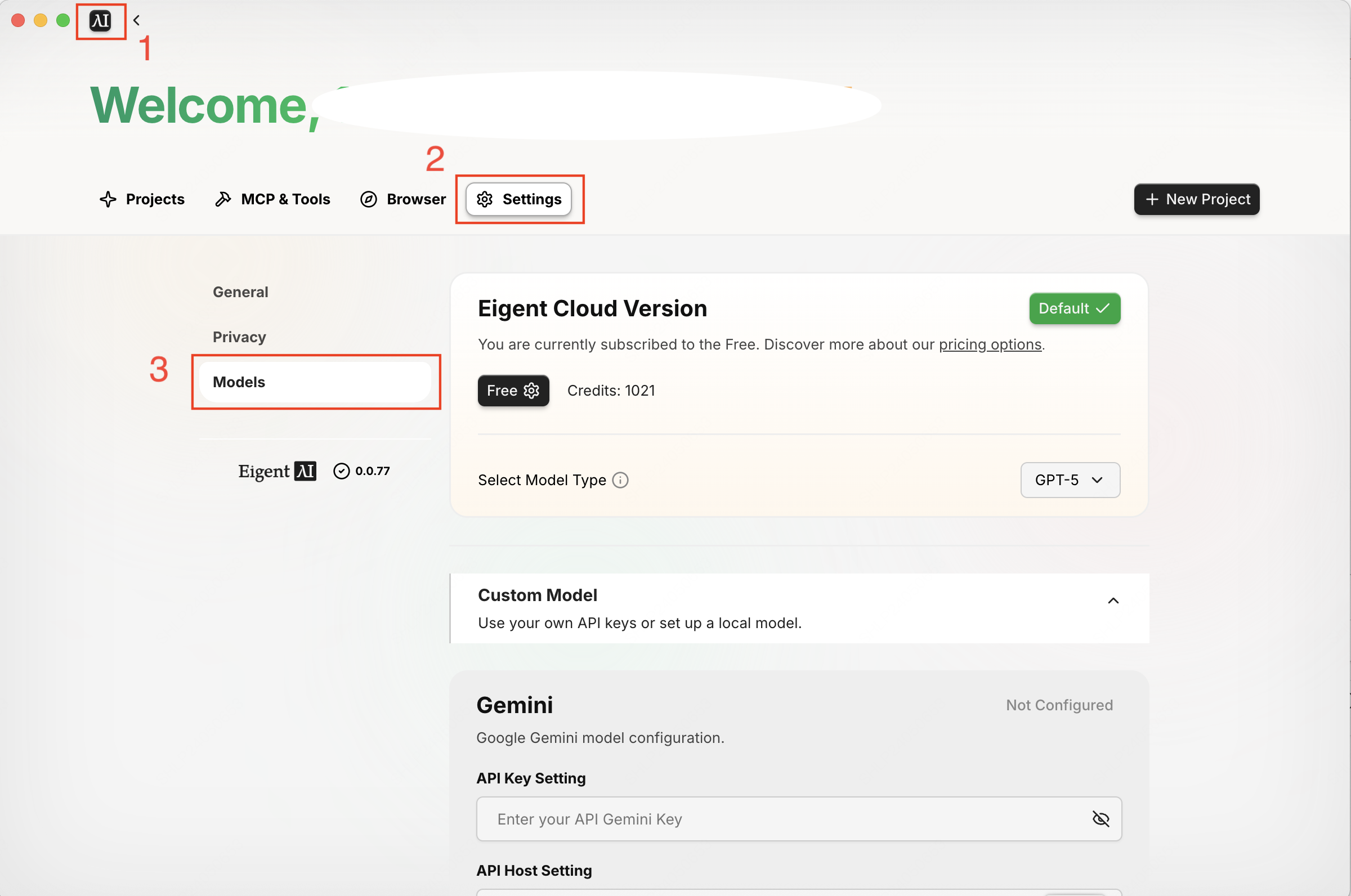
依次点击：**左上方 Logo → Settings → Models 标签**，进入模型配置界面。

<img src="https://filecdn.minimax.chat/public/2ea73de8-9d24-45dd-944e-c3ab820e981b.png" alt="Eigent 配置界面" style={{borderRadius: '8px', marginBottom: '16px', maxWidth: '100%'}} />

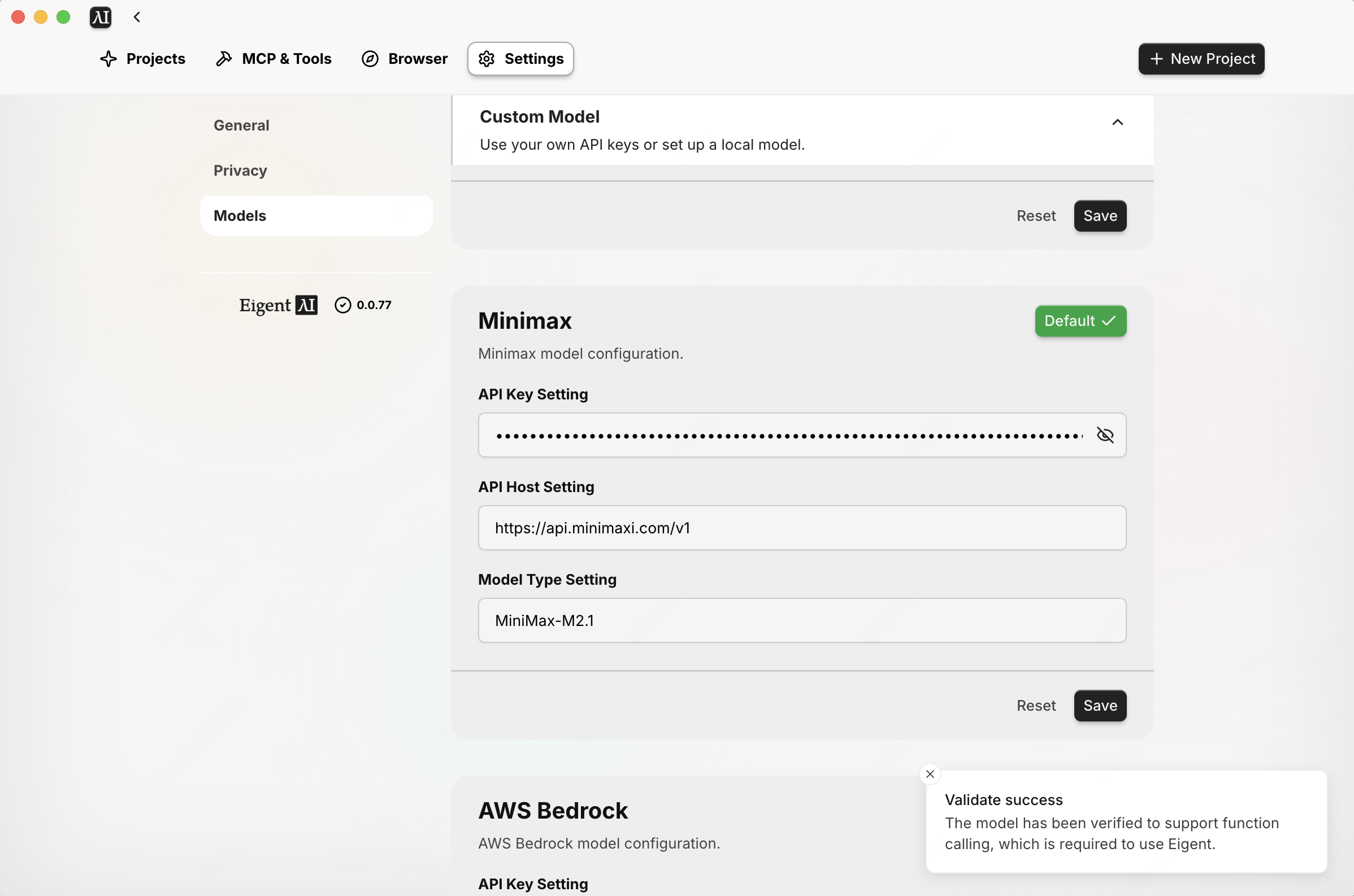
下滑界面到 MiniMax 模型配置区域，进行以下配置：

| 配置项                    | 值                             |
| :--------------------- | :---------------------------- |
| **API Key Setting**    | 您的 MiniMax API Key            |
| **API Host Setting**   | `https://api.minimaxi.com/v1` |
| **Model Type Setting** | `MiniMax-M2.1`                |

点击 **Save** 按钮保存配置，配置完成会有 success 提示。

<img src="https://filecdn.minimax.chat/public/703a8573-5d29-4c70-bf39-f1d37f21c88b.png" alt="M2.1 模型设置" style={{borderRadius: '8px', marginBottom: '16px', maxWidth: '100%'}} />

### Step 5:  新建 Project 开始任务

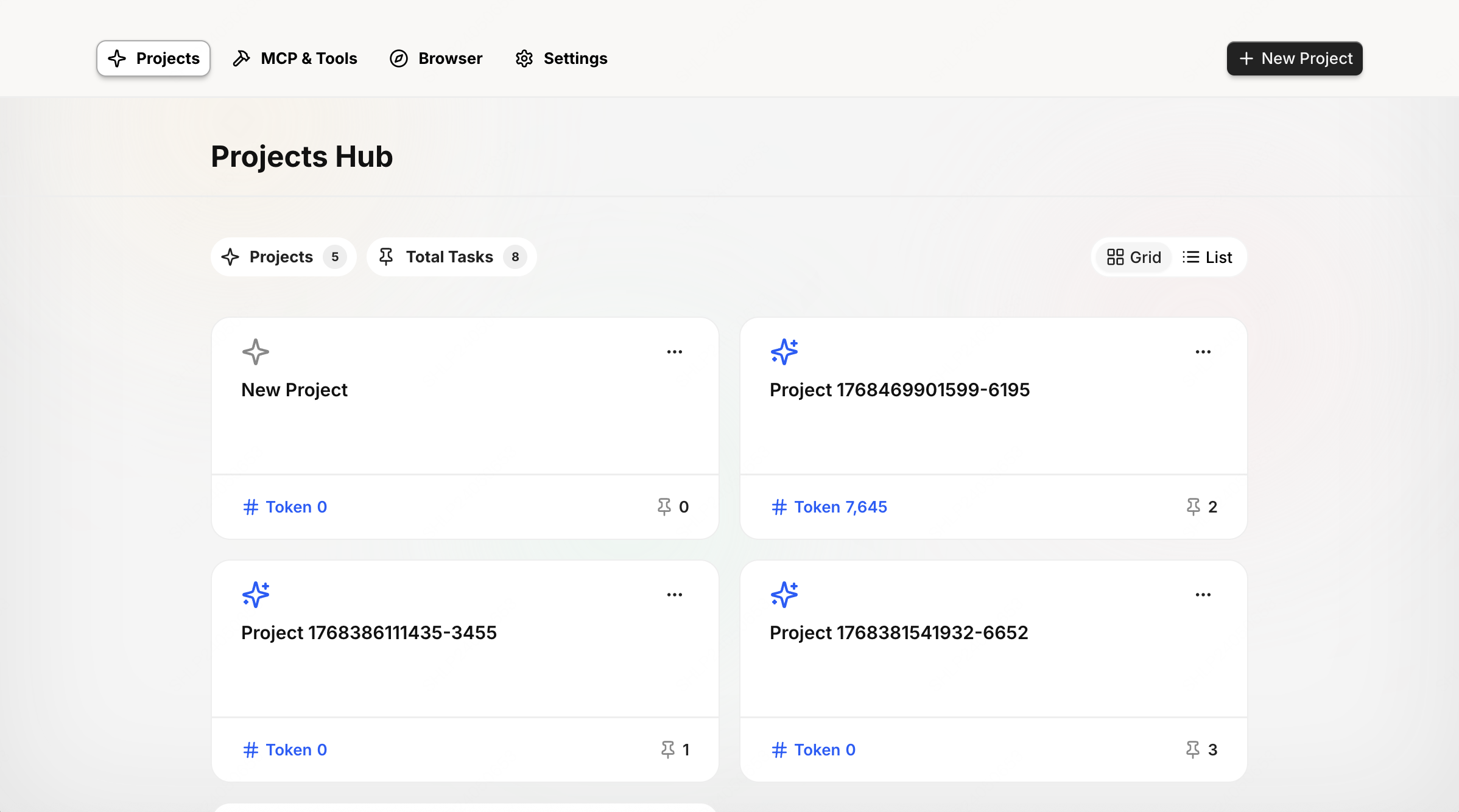
进入 Project 界面，点击右上角 **"+"** 号新建 Project，并进入新建的 Project 界面。输入任务需求发送给 Agent 执行。

<img src="https://filecdn.minimax.chat/public/82b7df44-37a9-4fb7-b19f-29991bd4511b.png" alt="Project 界面" style={{borderRadius: '8px', marginBottom: '16px', maxWidth: '100%'}} />

***

## 实测展示

### 任务需求

我们将测试一个复杂的旅行规划任务：

> 根据个人旅行喜好、意向景点、旅程时间起止日期以及总预算，要求给出详细的行程安排，包括景点、酒店、交通、餐饮等，最终形成一个 **HTML 格式的旅行手册**。

<img src="https://filecdn.minimax.chat/public/2126620c-adf2-48b3-96ca-d0f8d6bb6cc6.png" alt="任务描述" style={{borderRadius: '8px', marginBottom: '16px', maxWidth: '100%'}} />

### 任务执行过程

<Steps>
  <Step title="阶段 1: 任务规划">
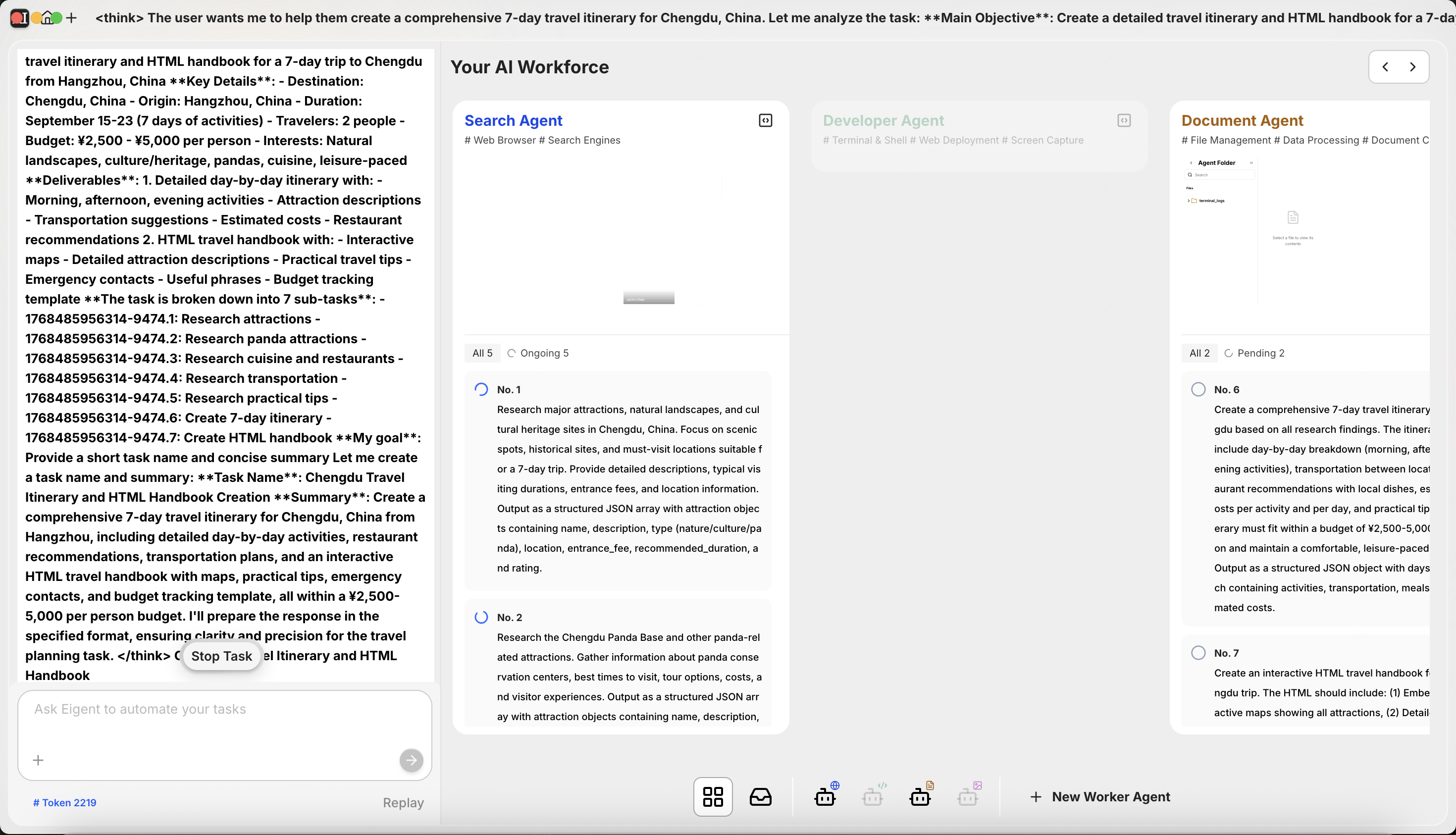
    MiniMax M2.1 模型自带 thinking 能力，在 Eigent 中发送任务需求后，它先经过深度思考，明确任务需求和目标，并划分为以下 7 个步骤：

    1. 搜索景点
    2. 搜索熊猫景点
    3. 搜索餐饮和餐厅
    4. 搜索交通
    5. 搜索实用 tips
    6. 创建 7 天行程
    7. 创建 HTML 手册

    <img src="https://filecdn.minimax.chat/public/051683d6-0cb7-408b-9ba9-d4ffd7f7c9b5.png" alt="任务规划" style={{borderRadius: '8px', marginBottom: '16px', maxWidth: '100%'}} />
  </Step>

  <Step title="阶段 2: 开展搜索">
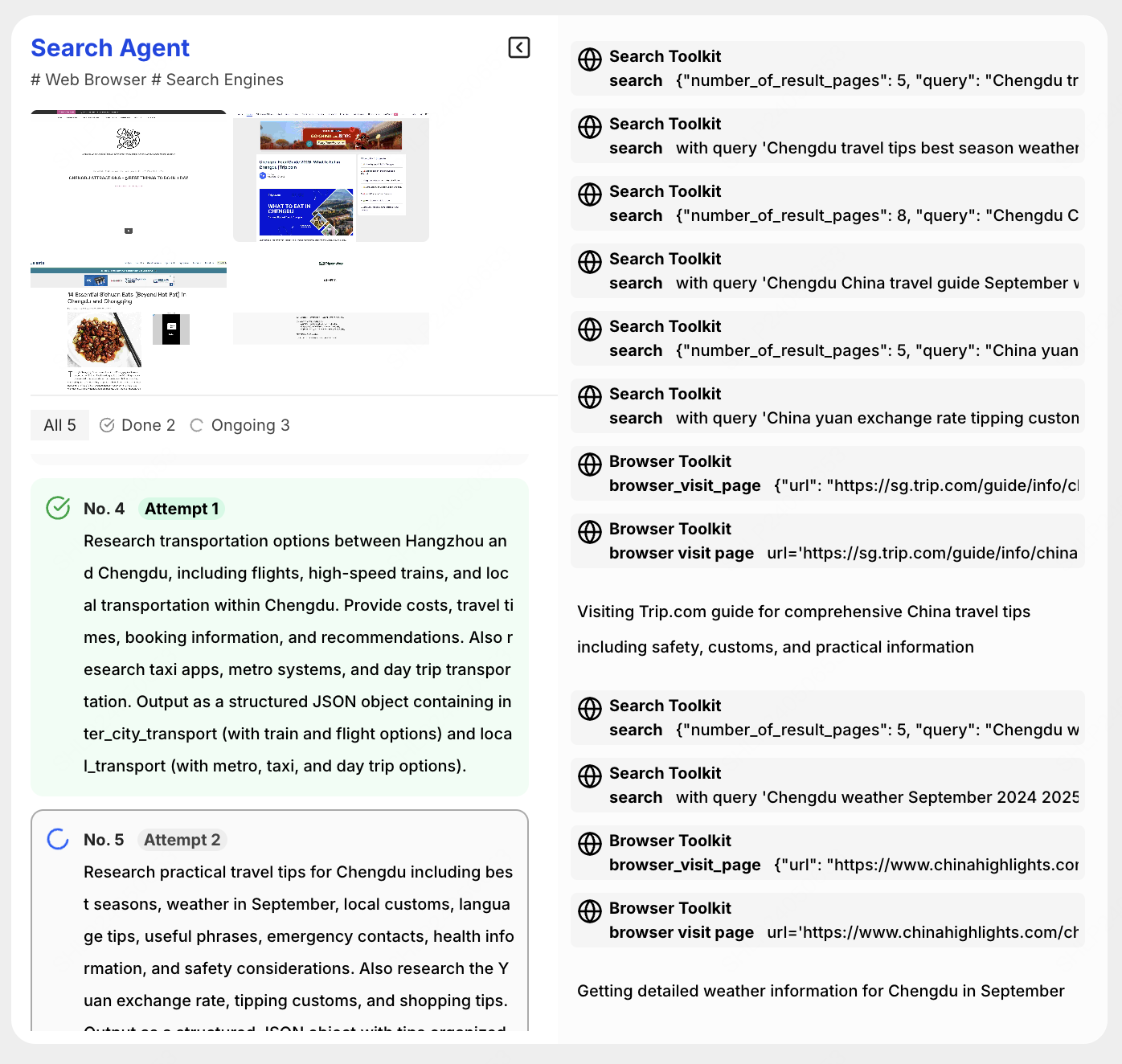
    根据任务规划，MiniMax M2.1 模型作为 **Search Agent** 调用搜索工具，开展搜索任务。在 Eigent 框架中，**5 个搜索任务并行执行**。

    <img src="https://filecdn.minimax.chat/public/841ddc9b-26f0-4b13-8bc3-687d324c00d1.png" alt="执行搜索" style={{borderRadius: '8px', marginBottom: '16px', maxWidth: '100%'}} />
  </Step>

  <Step title="阶段 3: 整理汇总成手册">
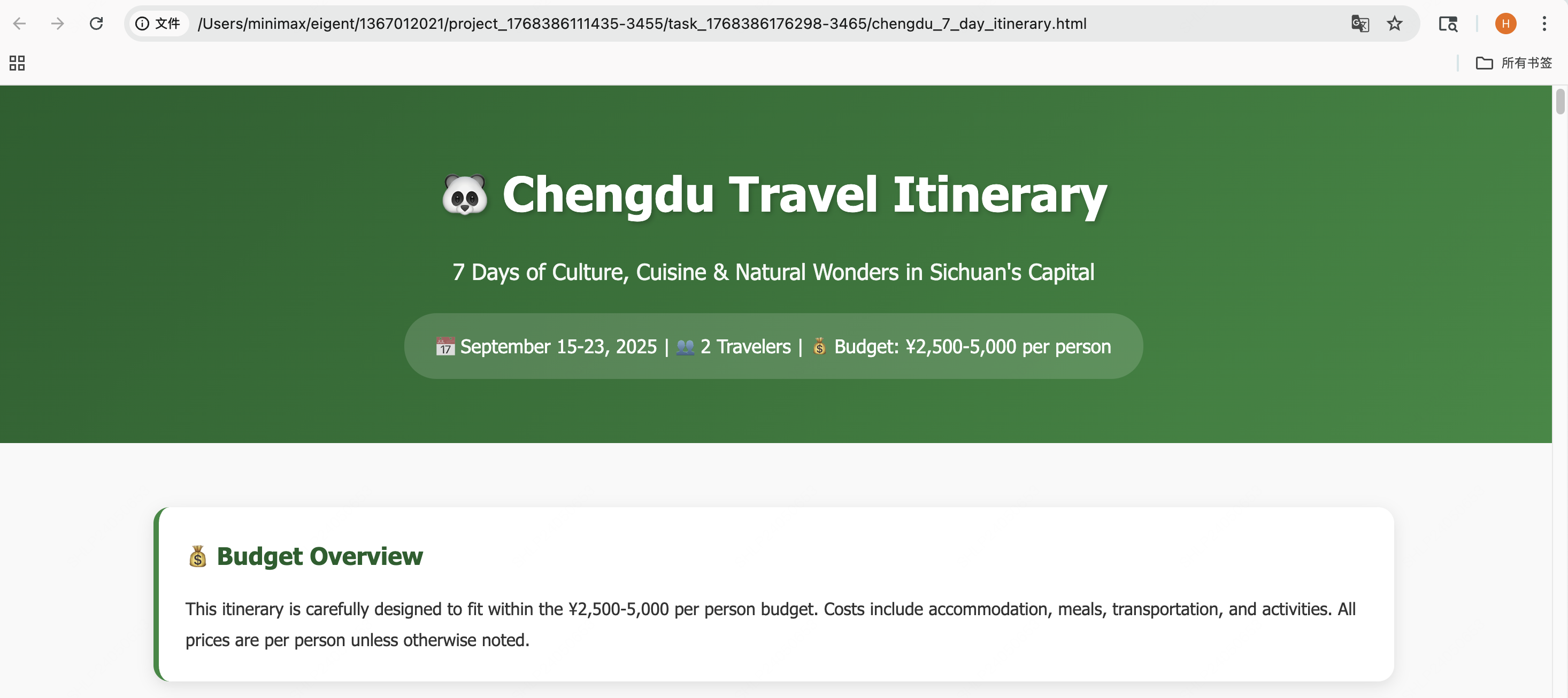
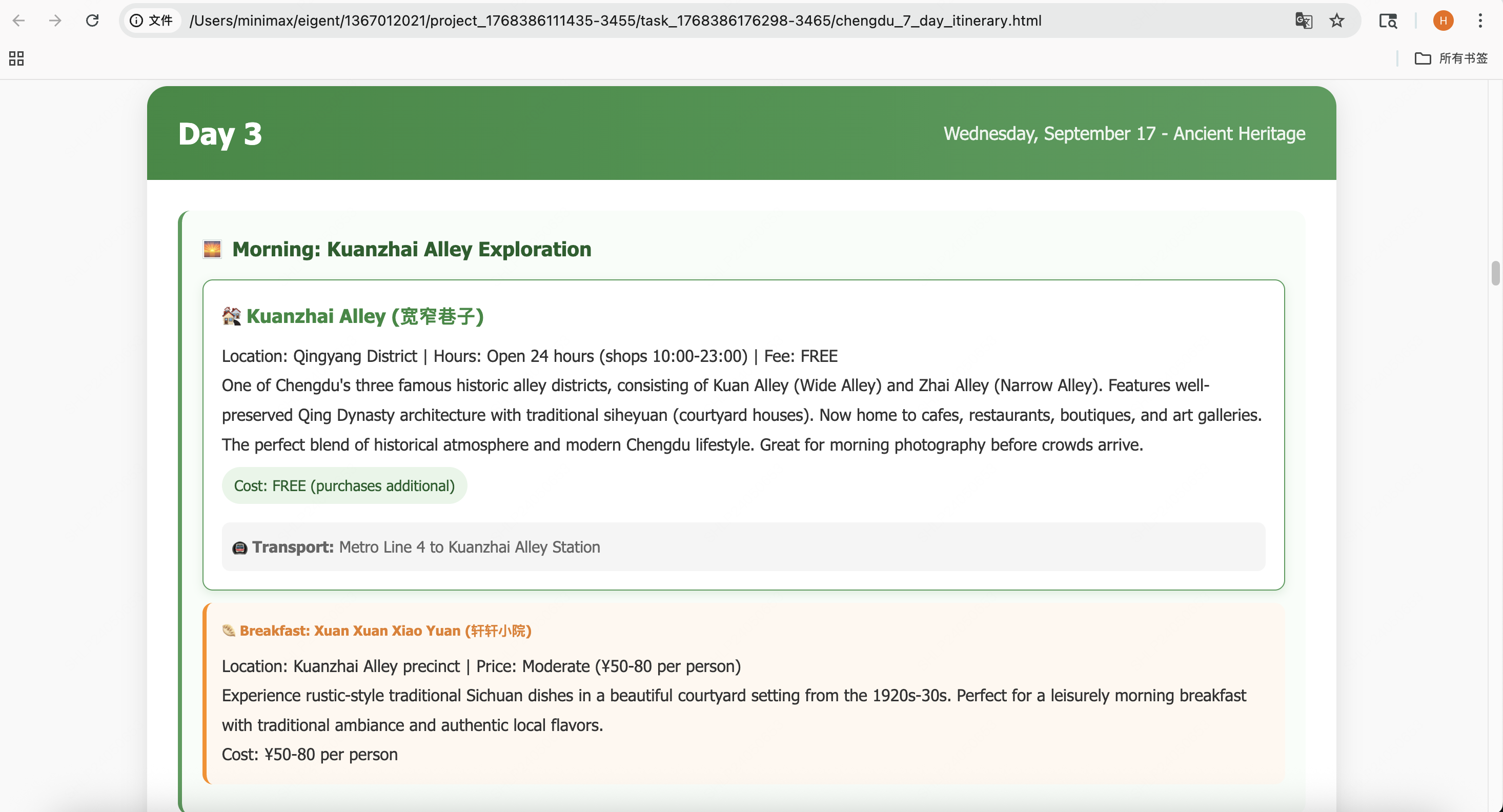
    Search Agent 完成资料搜索后，总任务进度更新，MiniMax M2.1 以 **Document Agent** 的角色，接收搜索到的资料并根据任务要求进行行程安排以及 HTML 旅行手册的编写。

    <img src="https://filecdn.minimax.chat/public/a852bc32-b695-4c21-bdf4-141016c0a42b.png" alt="旅行手册效果展示" style={{borderRadius: '8px', marginBottom: '16px', maxWidth: '100%'}} />

    <img src="https://filecdn.minimax.chat/public/251153f3-a026-4083-8dab-2d1d754e4d75.png" alt="旅行手册效果展示" style={{borderRadius: '8px', marginBottom: '16px', maxWidth: '100%'}} />
  </Step>
</Steps>

***

## 总结

通过本教程，我们展示了如何在 Eigent 多智能体框架中接入 MiniMax M2.1 模型，并完成复杂任务：

* **MiniMax M2.1 的 thinking 能力**使其能够自主规划复杂任务的执行步骤
* **多 Agent 协作**让搜索、文档生成等任务并行执行，大幅提升效率
* 最终输出完整的 HTML 旅行手册，展示了 **MiniMax M2.1 在长程规划任务中的卓越表现**

***

## 相关资源

<Columns cols={3}>
  <Card title="MiniMax M2.1" icon="sparkles" href="https://minimaxi.com/news/minimax-m21">
    模型详细介绍
  </Card>

  <Card title="Eigent GitHub" icon="github" href="https://github.com/eigent-ai/eigent">
    开源项目地址
  </Card>

  <Card title="MiniMax 开放平台" icon="globe" href="https://platform.minimaxi.com">
    获取 API Key
  </Card>
</Columns>